
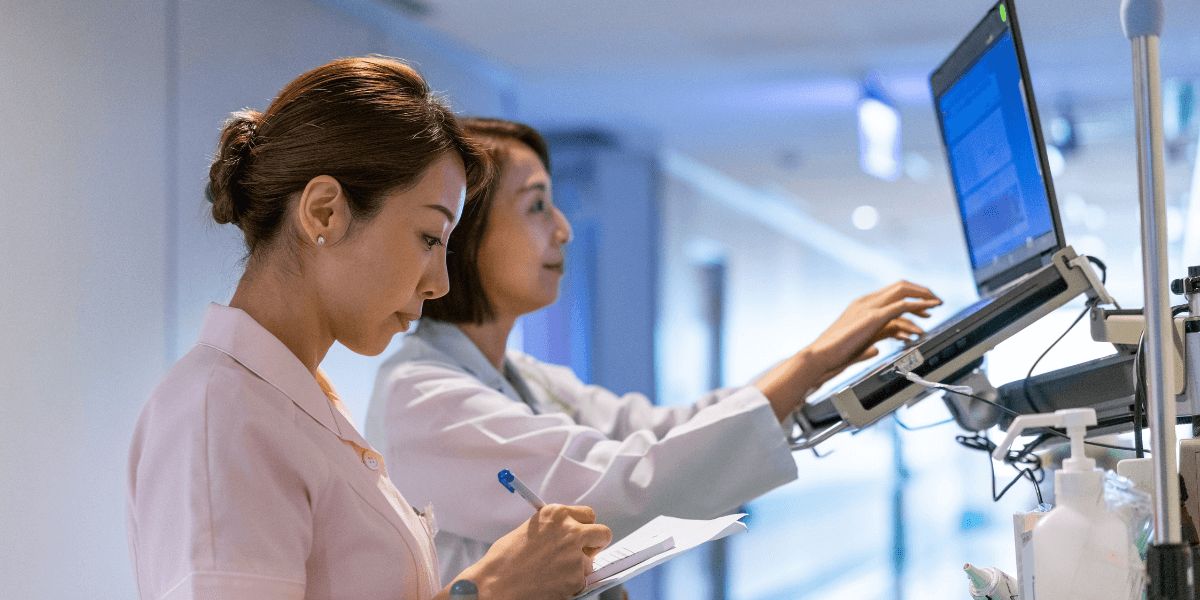
Remote nursing is growing rapidly as telemedicine, digital healthcare, and virtual patient care become more common worldwide. Nurses are now working from home, managing telehealth consultations, monitoring patient data remotely, and coordinating care through digital healthcare platforms. To work efficiently and provide high-quality patient care, remote nurses need a reliable laptop and a professional tech setup.
The best laptop and tech setup for remote nurses should support video consultations, electronic health records, multitasking, secure communication, and long working hours. A good setup improves productivity, reduces stress, enhances communication, and helps nurses deliver better patient care in virtual healthcare environments.
This complete guide explains the best laptop features, essential tech accessories, internet requirements, ergonomic setup tips, and security tools every remote nurse should consider in 2026.
In This Article
Why Remote Nurses Need a Professional Tech Setup
Remote nursing relies heavily on technology. Unlike traditional hospital environments, remote nurses work through digital healthcare systems and virtual communication platforms. Poor technology can lead to:
- Slow performance
- Video call interruptions
- Data security risks
- Reduced productivity
- Poor patient communication
A professional tech setup helps nurses:
- Conduct smooth telehealth consultations
- Access patient records quickly
- Improve work efficiency
- Maintain patient privacy and security
- Reduce physical strain during long work hours
Investing in the right technology is essential for successful remote nursing careers.
Choosing the Best Laptop for Remote Nurses
The laptop is the most important part of a remote nursing setup because almost all telemedicine and virtual healthcare tasks depend on it. Remote nurses need a laptop that is fast, reliable, secure, and comfortable for long daily use. A good laptop helps improve productivity, communication, and patient care quality while reducing technical problems during virtual consultations.
Important Features to Look For
When selecting a laptop for telemedicine and remote healthcare work, nurses should focus on several important features. A fast processor is essential for handling video consultations, electronic health records, healthcare applications, and multitasking smoothly. At least 8GB RAM is recommended for efficient performance, while 16GB RAM provides better multitasking capabilities. Storage is also important. Solid-state drives (SSD) are preferred because they offer faster performance and quicker system startup times compared to traditional hard drives.
Fast Processor
Remote nurses often multitask between:
- Video consultations
- Electronic health records
- Healthcare apps
- Patient communication platforms
A fast processor ensures smooth performance.
Recommended processors:
- Intel Core i5 or i7
- AMD Ryzen 5 or Ryzen 7
- Apple M-series chips
Sufficient RAM
RAM affects multitasking performance. Nurses working with multiple applications should choose:
- Minimum: 8GB RAM
- Recommended: 16GB RAM
This helps avoid lag during video calls and digital documentation.
SSD Storage
Solid-state drives (SSD) are much faster and more reliable than traditional hard drives, making them an excellent choice for remote nurses working in telemedicine and digital healthcare environments. SSD storage improves overall laptop performance by providing faster boot times, quicker file access, and smoother application performance.
Recommended Storage
For remote nursing work, the recommended storage options are:
- Minimum: 256GB SSD
- Recommended: 512GB SSD or higher
A larger SSD provides enough space for healthcare software, electronic health records, telemedicine applications, documents, and video files. Faster storage also helps reduce delays when opening healthcare systems or switching between multiple applications during virtual consultations.
High-Quality Webcam
Video communication is a major part of telemedicine nursing, so having a high-quality webcam is very important. Clear video helps nurses communicate professionally with patients and improves the overall virtual healthcare experience.
Recommended Webcam
A 1080p HD webcam is recommended for remote nurses because it provides sharp video quality and better visual communication during online consultations.
Good webcam quality helps patients feel more comfortable and improves trust during virtual appointments. It also allows nurses to observe facial expressions, visible symptoms, and patient reactions more clearly.
Long Battery Life
Remote nurses may work long hours, travel between locations, or provide virtual healthcare services outside traditional office environments. A strong battery life is important because it helps maintain productivity without needing constant charging throughout the day.
Recommended Battery Life
For telemedicine and remote healthcare work, a laptop with:
- 8 to 12 hours of battery life
is generally recommended. Long battery performance allows nurses to attend virtual consultations, access electronic health records, communicate with patients, and complete documentation without interruptions caused by low battery levels.
Reliable battery life is especially important during travel, power outages, or situations where charging access may be limited.
Lightweight and Portable Design
A lightweight and portable laptop is easier for remote nurses to carry and use in different work environments. Nurses who travel frequently or work from multiple locations benefit from laptops that are compact and easy to transport.
Portable laptops also improve comfort during daily use and reduce physical strain when carrying devices for extended periods. Thin and lightweight designs make it easier to create flexible work setups while maintaining strong performance for telemedicine tasks. to carry for nurses who travel or work in multiple locations.
Best Types of Laptops for Remote Nurses
Different remote nurses may prefer different laptop styles depending on their work environment, portability needs, and telemedicine responsibilities. Choosing the right type of laptop can improve productivity, comfort, and overall work efficiency in remote healthcare settings.
Business Laptops
Business laptops are an excellent choice for remote nurses because they are designed for professional use and long working hours. These laptops focus on:
- Security
- Reliability
- Battery life
- Productivity
Business laptops often include advanced security features, durable build quality, and strong multitasking performance. They are ideal for handling electronic health records, telemedicine platforms, and virtual consultations efficiently.
Ultrabooks
Ultrabooks are lightweight, thin, and portable while still offering strong performance. They are a great option for nurses who travel frequently or work in multiple locations.
Benefits of Ultrabooks
- Thin and lightweight design
- Long battery life
- Fast performance
- Easy portability
Ultrabooks provide a balance between performance and mobility, making them suitable for remote healthcare professionals.
2-in-1 Convertible Laptops
2-in-1 convertible laptops can function as both traditional laptops and tablets. These flexible devices are becoming increasingly popular in healthcare environments.
Benefits of 2-in-1 Laptops
- Flexible touchscreen use
- Easy note-taking with stylus support
- Portable and compact design
These devices are useful for nurses who prefer touchscreen interaction, digital note-taking, and flexible work setups during telemedicine consultations and patient documentation.
Best Operating System for Remote Nursing
Remote nurses usually choose between Windows and macOS when building a professional telemedicine setup. Both operating systems offer strong performance and useful features, but the best choice depends on healthcare software compatibility, work requirements, budget, and personal preference.
Windows Laptops
Windows laptops are widely used in healthcare organizations because they support a large variety of healthcare applications, telemedicine platforms, and hospital management systems. Many hospitals and clinics design their software specifically for Windows environments, making integration easier for remote nurses.
Advantages of Windows Laptops
- Broad software compatibility
- Wide price range for different budgets
- Easy integration with hospital systems
- Large variety of device options
- Flexible hardware customization
Windows laptops are ideal for nurses who need compatibility with multiple healthcare programs and external devices.
macOS Laptops
Apple macOS laptops are known for their smooth performance, premium build quality, strong security features, and excellent battery life. Many remote professionals prefer macOS because of its reliability and user-friendly interface.
Advantages of macOS Laptops
- Smooth and stable performance
- Strong security and privacy protection
- Excellent battery life
- High-quality display and build design
However, some healthcare software and hospital systems may work better on Windows devices. Before choosing macOS, remote nurses should confirm that their required telemedicine platforms and healthcare applications are fully compatible.better on Windows systems.
Importance of a Reliable Internet Connection
A strong internet connection is essential for remote nursing and telemedicine work.
Recommended Internet Speed
For smooth video consultations and remote monitoring:
- Minimum: 25 Mbps
- Recommended: 50 Mbps or higher
Benefits of Fast Internet
Reliable internet improves:
- Video call quality
- File transfers
- Access to patient records
- Telehealth communication
Nurses should also consider having a backup internet option such as mobile hotspot access.
Essential Tech Accessories for Remote Nurses
A professional remote nursing setup requires more than just a laptop. The right tech accessories can improve productivity, communication, comfort, and overall work efficiency during telemedicine consultations and virtual patient care. Remote nurses often spend long hours using digital healthcare systems, so having the proper equipment is essential for maintaining performance and reducing physical strain.
External Monitor
An additional monitor significantly improves productivity by allowing nurses to multitask more efficiently. With a larger screen, nurses can:
- View patient records
- Conduct video consultations
- Access healthcare systems simultaneously
A 24-inch or larger monitor is generally recommended for better visibility and workspace organization. Dual-screen setups can further improve workflow and reduce the need to switch constantly between applications.
Noise-Canceling Headset
Clear audio communication is extremely important during telemedicine consultations. A noise-canceling headset helps improve:
- Patient communication
- Audio clarity
- Concentration during calls
It also reduces background noise, making virtual consultations more professional and easier to manage.
External Webcam
If the laptop’s built-in webcam has poor quality, an external HD webcam can improve video clarity and professionalism. Better video quality helps patients feel more comfortable and improves virtual communication.
Wireless Keyboard and Mouse
Wireless accessories improve comfort and flexibility while reducing wrist strain during long working hours. Ergonomic keyboards and mice can also help prevent repetitive strain injuries.
Laptop Stand
A laptop stand improves posture by raising the screen to eye level. This helps reduce neck pain, back strain, and poor sitting posture during extended work sessions.
Using the right accessories helps remote nurses create a more comfortable, professional, and efficient telemedicine workspace.osture and helps prevent neck and back pain.
Ergonomic Setup for Remote Nurses
Remote nurses often spend many hours sitting and working on computers. A proper ergonomic setup is essential for physical health and comfort.
Ergonomic Chair
A supportive chair helps reduce:
- Back pain
- Neck strain
- Fatigue
Proper Desk Height
The desk should allow:
- Comfortable arm positioning
- Proper monitor height
- Good posture
Monitor Position
The top of the monitor should be at eye level to reduce neck strain.
Lighting
Good lighting improves visibility and creates a professional appearance during video consultations.
Cybersecurity and Patient Privacy
Patient privacy is extremely important in remote healthcare environments because telemedicine nurses regularly handle sensitive medical information and digital healthcare records. Strong cybersecurity practices help protect patient data, maintain trust, and prevent unauthorized access to confidential healthcare information.
Use Strong Passwords
Remote nurses should always use strong and unique passwords for healthcare systems, telemedicine platforms, and digital devices. Using two-factor authentication adds an extra layer of security by requiring additional verification before access is granted. This reduces the risk of unauthorized account access and data breaches.
Install Antivirus Software
Antivirus protection is essential for securing laptops and healthcare systems from cyber threats such as malware, viruses, and phishing attacks. Updated antivirus software helps protect patient information and keeps healthcare devices secure during daily remote work.
Use Secure Networks
Public Wi-Fi networks can be risky because they are more vulnerable to cyberattacks and unauthorized access. Remote nurses should avoid using public internet connections for telemedicine work whenever possible. Secure home networks with strong passwords are much safer for handling confidential healthcare information.
VPN Protection
A VPN (Virtual Private Network) adds extra security by encrypting internet connections and protecting sensitive patient data during online communication. VPN protection is especially useful when accessing healthcare systems remotely.urity when accessing healthcare systems remotely.
Best Software Tools for Remote Nurses
Remote nurses use several digital tools daily to provide efficient virtual healthcare services, manage patient information, and communicate with healthcare teams. Reliable software systems are essential for improving productivity, maintaining patient privacy, and delivering high-quality telemedicine care.
Telehealth Platforms
Telehealth platforms are one of the most important tools for remote nurses. These systems support:
- Video consultations
- Virtual appointments
- Patient communication
Telehealth software allows nurses to connect with patients remotely, provide healthcare guidance, and monitor patient conditions from different locations. Good telehealth platforms also improve communication and help create a smooth virtual healthcare experience.
Electronic Health Records (EHR)
Electronic Health Record systems help nurses manage patient information digitally. EHR systems allow nurses to:
- Access patient histories
- Update medical records
- Coordinate care with healthcare teams
These systems improve accuracy, reduce paperwork, and help healthcare providers access important patient data quickly.
Scheduling Software
Scheduling tools help remote nurses manage appointments, organize workflow, and reduce missed consultations. Efficient scheduling improves time management and supports smoother daily operations.
Cloud Storage
Secure cloud storage systems help store and share healthcare documents safely. These systems protect patient information, support data backup, and allow healthcare teams to access files securely from different locations.hare healthcare documents safely.
Importance of Audio and Video Quality
Professional communication is essential in telemedicine nursing because patient interactions depend heavily on virtual communication tools. High-quality audio and video help nurses communicate clearly, build trust, and provide a better healthcare experience for patients during online consultations.
Clear Audio
Clear audio is one of the most important parts of virtual healthcare communication. Poor sound quality, background noise, or interrupted audio can make it difficult for patients to understand medical instructions and communicate their symptoms properly. Miscommunication may lead to confusion, frustration, or mistakes in patient care.
Using a good-quality microphone or noise-canceling headset helps improve communication and ensures that both nurses and patients can hear each other clearly during consultations.
Professional Video Appearance
A high-quality camera and proper lighting improve professionalism and create a better patient experience. Clear video helps nurses observe facial expressions, emotional responses, and visible symptoms more effectively during virtual appointments.
Professional video quality also increases patient trust and confidence in telemedicine services. Patients feel more comfortable when consultations appear organized, clear, and professional.
Creating a Quiet Workspace
Remote nurses should create a quiet and distraction-free workspace to provide professional and effective telemedicine services. Since virtual healthcare relies heavily on communication and concentration, the work environment plays an important role in daily productivity and patient experience.
Benefits of a Dedicated Workspace
A quiet workspace helps improve:
- Concentration
- Patient communication
- Productivity
- Professionalism
When nurses work in a calm and organized environment, they can focus better during virtual consultations, manage patient records more efficiently, and reduce the chances of mistakes or interruptions. A professional workspace also helps patients feel more comfortable and confident during online healthcare interactions.
Tips for Better Workspaces
Remote nurses can improve their work environment by:
- Using noise reduction tools or noise-canceling headsets
- Keeping the workspace clean and organized
- Maintaining privacy during patient consultations
- Choosing a well-lit and comfortable area for work
Reducing background distractions improves communication quality and helps maintain patient confidentiality during telemedicine appointments.
Best Backup Solutions for Remote Nurses
Technology issues can interrupt patient care and affect communication during telemedicine consultations. Because remote nursing depends heavily on digital systems, having reliable backup solutions is extremely important. Proper backup systems help nurses continue working smoothly during technical problems and protect important healthcare data.
Backup Power
Power outages can suddenly interrupt virtual consultations, patient monitoring, and access to healthcare systems. Using a UPS (Uninterruptible Power Supply) or another power backup solution helps keep devices running during short power failures. This prevents disruptions during important patient interactions and allows nurses enough time to save work safely.
Data Backup
Protecting healthcare documents and patient information is essential in remote nursing. Cloud backup systems help store important files securely and reduce the risk of data loss caused by hardware failures or accidental deletion. Regular data backups improve security, support patient privacy, and ensure quick recovery of important healthcare information when needed.
Backup Devices
Having a secondary laptop, tablet, or smartphone can be very helpful during technical emergencies. If the primary device stops working, nurses can continue patient communication and access healthcare systems using a backup device. This reduces downtime and helps maintain professional telemedicine services without major interruptions.
Telemedicine Trends Affecting Tech Setup
Healthcare technology is evolving rapidly, and these advancements are directly influencing the type of tech setup remote nurses need for efficient and professional telemedicine work. Modern telehealth environments now require faster devices, secure systems, and better digital tools to support virtual patient care.
AI Integration
Artificial intelligence is becoming more common in telehealth systems and remote healthcare platforms. AI tools help nurses analyze patient data, identify potential health risks, automate routine tasks, and improve clinical decision-making. As AI-powered healthcare systems grow, remote nurses will need reliable laptops and updated software capable of handling advanced digital healthcare applications efficiently.
Wearable Devices
Remote nurses are increasingly using wearable healthcare technology to monitor patient conditions in real time. Devices such as smartwatches, glucose monitors, heart rate trackers, and oxygen sensors continuously send patient health data to healthcare systems. Nurses must have strong internet connections, compatible software, and secure systems to manage and analyze this information effectively.
Cloud-Based Healthcare Systems
Many healthcare organizations are moving toward cloud-based patient management systems. These systems allow nurses and healthcare teams to access patient records, update treatment plans, and communicate securely from different locations. Cloud-based healthcare improves flexibility and collaboration but also requires secure internet access, reliable devices, and strong cybersecurity measures.
Budget Considerations for Remote Nurses
Remote nurses can build effective setups at different budget levels.
Budget Setup
Basic telemedicine work can be supported with:
- Mid-range laptop
- Basic monitor
- Affordable headset
Premium Setup
Advanced setups may include:
- High-performance laptop
- Dual monitors
- Professional webcam
- Ergonomic furniture
Benefits of a Good Tech Setup for Remote Nurses
A proper tech setup provides many benefits for remote nurses and plays an important role in improving work performance, communication, and patient care. Since telemedicine and virtual healthcare rely heavily on technology, having reliable devices and an organized workspace helps nurses work more efficiently and professionally.
Improved Productivity
Fast laptops, stable internet connections, and organized workspaces improve daily efficiency. Remote nurses can manage virtual appointments, update patient records, and communicate with healthcare teams more smoothly without technical delays or interruptions.
Better Patient Experience
Clear audio, high-quality video communication, and reliable healthcare systems improve patient satisfaction and trust. Patients feel more comfortable during virtual consultations when communication is smooth and professional.
Reduced Stress
Reliable technology helps reduce frustration caused by slow systems, connection issues, or software problems. A well-designed workspace also improves comfort and concentration, helping nurses manage workloads more effectively.
Career Growth
Strong digital skills and a professional remote setup help nurses succeed in telemedicine and digital healthcare careers. As remote healthcare services continue to expand, nurses with technology knowledge and efficient work environments will have better career opportunities and professional growth.
Future of Remote Nursing Technology
Remote nursing technology will continue evolving as healthcare systems adopt more advanced digital tools and virtual healthcare solutions. The future of remote nursing will focus on improving efficiency, patient care, communication, and healthcare accessibility through innovation and technology.
AI and Automation
Artificial intelligence and automation will play a major role in future remote nursing systems. AI tools will help nurses manage patient data, monitor health conditions, identify risks, and automate routine administrative tasks. Automated systems can reduce paperwork, improve accuracy, and save valuable time, allowing nurses to focus more on direct patient care and communication.
AI-powered healthcare platforms may also assist nurses by analyzing patient symptoms, predicting complications, and providing clinical decision support. These technologies will improve efficiency and help healthcare teams respond more quickly to patient needs.
Advanced Telehealth Platforms
Virtual healthcare systems are expected to become more advanced, secure, and user-friendly. Future telehealth platforms may include better video communication, real-time patient monitoring, AI-driven support tools, and improved integration with electronic health records.
These advancements will allow nurses to provide more personalized and effective remote care while improving the overall patient experience.
Greater Demand for Digital Skills
As healthcare technology becomes more advanced, technology literacy will become increasingly important for nurses. Remote nurses will need strong digital communication skills, knowledge of telehealth systems, and the ability to work with healthcare software and monitoring devices.
Continuous learning and technology training will become essential for nurses who want to succeed in remote healthcare environments. Nurses who adapt to these technological changes will have stronger career opportunities and play an important role in the future of modern healthcare systems.
Tips for Building the Ideal Remote Nursing Setup
Remote nurses should:
- Invest in reliable devices
- Prioritize cybersecurity
- Maintain ergonomic workspaces
- Upgrade technology regularly
- Stay updated with healthcare technology trends
Continuous improvement helps nurses remain competitive in modern healthcare environments.
Must Read:
- How Telemedicine Is Creating New Nursing Careers
- Future of Nursing: Innovation, AI & Patient Care Trends
- Top Clinical Skills Every New Nurse Must Master in 2026
Final Thoughts:
The best laptop and tech setup for remote nurses is essential for success in telemedicine and digital healthcare careers. A reliable laptop, strong internet connection, ergonomic workspace, and secure technology systems help nurses work more efficiently while providing high-quality patient care.
As remote nursing continues to grow, technology will play an even bigger role in healthcare delivery. Nurses who invest in the right tools and develop strong digital skills will be better prepared for the future of healthcare and the expanding world of telemedicine nursing.